Most coaching software helps you store workouts. PR Project was built to help coaches scale decision-making.
When you click Push Workouts, PR Project doesn't randomly fill a calendar with templates. It runs a structured planning system designed to behave more like an experienced endurance coach reviewing an athlete's week before assigning training.
This article explains exactly how that process works. Not in marketing fluff. In practical coaching logic.

§ 01 · OverviewA structured planning system, not random template fill.
Push Workouts runs a seven-step pipeline: coach framework, live context, change detection, load targets, race taper, workout selection, and fatigue guardrails.
§ 02 · PhilosophyThe philosophy behind Auto-Push.
Most endurance platforms are built around static templates.
PR Project was designed around something different:
The calendar should adapt to the athlete's real-world context while still preserving the coach's training philosophy.
That distinction matters.
A static template cannot understand:
- Travel fatigue
- Missed sessions
- Race proximity
- Reduced availability
- Equipment limitations
- Accumulating leg fatigue
- Scheduling conflicts
- Coach notes
- Athlete feedback
PR Project's Auto-Push system was built to account for those variables automatically while still keeping the coach in control of the overall structure.
The goal is not to replace coaching.
The goal is to scale high-quality coaching logic across more athletes without sacrificing training quality.
§ 03 · Step 1The coach defines the system.
Auto-Push does not invent a program from scratch.
It starts from the framework you designed:
- Training phases
- Weekly structures
- Workout goals
- Sport priorities
- Load ratios
- Race priorities
- Workout templates
Think of PR Project as operating inside the boundaries of your coaching methodology.
If your phase says:
Monday = endurance swim · Tuesday = threshold run · Wednesday = recovery · Thursday = VO₂ bike
…that becomes the backbone the engine works from.
The AI layer is an adjustment system, not a philosophy generator. That's an important distinction.
Adjustment system inside your boundaries, not a philosophy generator
§ 04 · Step 2PR Project reads the athlete's live context.
Before planning begins, PR Project analyzes the athlete's current environment.
That includes:
Existing Calendar Workouts
The system avoids duplicating sessions already scheduled.
Athlete Availability
Available training time, equipment access, and sport availability are considered before sessions are placed.
Example:
- Pool only today
- 45 minutes available
- Traveling for work
- No bike access
Upcoming Events & Races
PR Project reads A/B/C race priorities and automatically adjusts taper behavior.
Calendar Notes
Coach and athlete notes can trigger planning adjustments.
Example:
- Legs destroyed after race
- Travel all week
- Low sleep lately
- Recovering from illness
This is where the system begins behaving less like a static scheduler and more like an assistant coach.
Existing calendar
- · Scheduled workouts
- · Duplicate avoidance
- · Gap detection
Athlete availability
- · Training time
- · Equipment access
- · Sport availability
Events & races
- · A / B / C priorities
- · Taper behavior
- · Race proximity
Calendar notes
- · Coach notes
- · Athlete feedback
- · Travel & fatigue signals
§ 05 · Step 3AI only activates when context actually changes.
This is one of the biggest misconceptions coaches have.
PR Project does not randomly replan workouts every time you push.
The AI layer activates only when there's meaningful contextual change inside the planning window.
Examples:
- Availability changed
- A coach note was added
- An athlete note was added
- Travel was mentioned
- Constraints changed
If nothing changed?
The push remains deterministic and follows your configured structure exactly.
That consistency matters because coaches need predictability.
No meaningful change
- Push remains deterministic
- Follows configured structure exactly
- Predictable output coaches can trust
Context changed
- Availability or notes updated
- Travel or constraints mentioned
- AI layer activates inside guardrails
§ 06 · Step 4The system calculates training load targets.
Once structure and context are established, PR Project determines how difficult each session should be.
The foundation is:
Target Session Load = Athlete Fitness × Coach-Configured Load Ratio
Fitness is derived from sport-specific training load metrics (similar to CTL/TSS methodologies used by elite endurance platforms).
This means:
- Fitter athletes receive larger session targets
- Newer athletes remain capped appropriately
- Workload scales progressively over time
- Session difficulty aligns with the athlete's current readiness
This is not “random AI intensity.”
It's governed progression.
Athlete Fitness × Coach-Configured Load Ratio
§ 07 · Step 5Automatic race taper logic.
Race tapering is handled systematically.
PR Project automatically reduces training load based on race priority:
| Race Priority | Typical Taper Window |
|---|---|
| A Race | ~7 days |
| B Race | ~4 days |
| C Race | ~2 days |
If multiple races overlap, the strongest taper takes priority.
This is important because many systems rely on coaches manually reducing load week-by-week.
PR Project automates the mechanical side of taper execution so coaches can focus on higher-level strategy.
§ 08 · Step 6Intelligent workout selection.
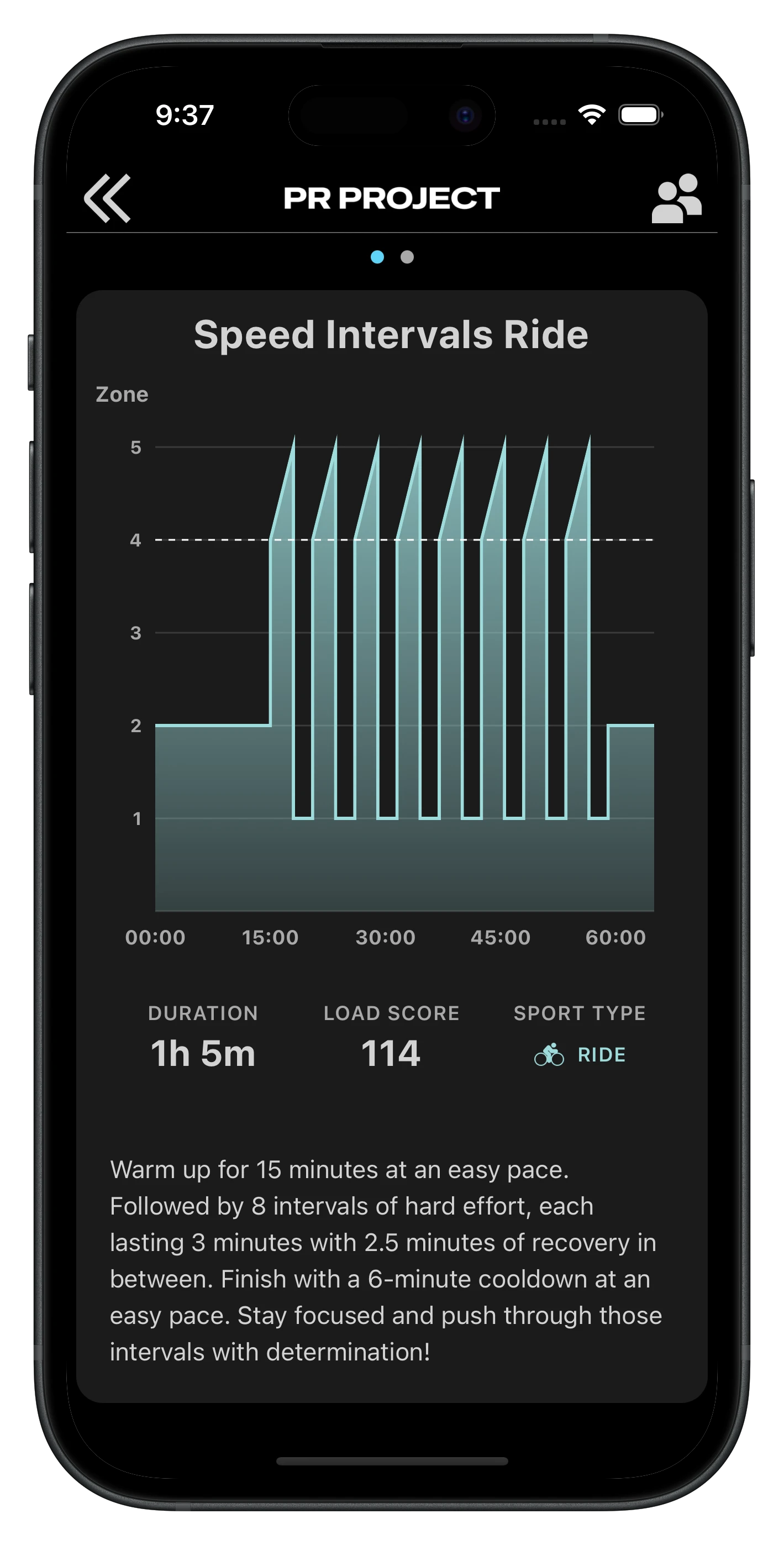
Once the target load is known, PR Project searches the coach's workout library for the best-fit session.
The engine filters workouts based on:
- Sport
- Workout goal
- Available time
- Tags
- Equipment
- Athlete constraints
- Target load proximity
It also avoids repeating high-intensity sessions too frequently.
That means the athlete doesn't get:
- The same threshold session every Tuesday
- Duplicated VO₂ sets
- Stale interval progression
- Accidental overload stacking
The system behaves much closer to how experienced coaches naturally rotate stimulus across a training cycle.
Avoids repeated high-intensity sessions and accidental overload stacking.
§ 09 · Step 7Recovery & fatigue protection.
This is one of the most important parts of the system.
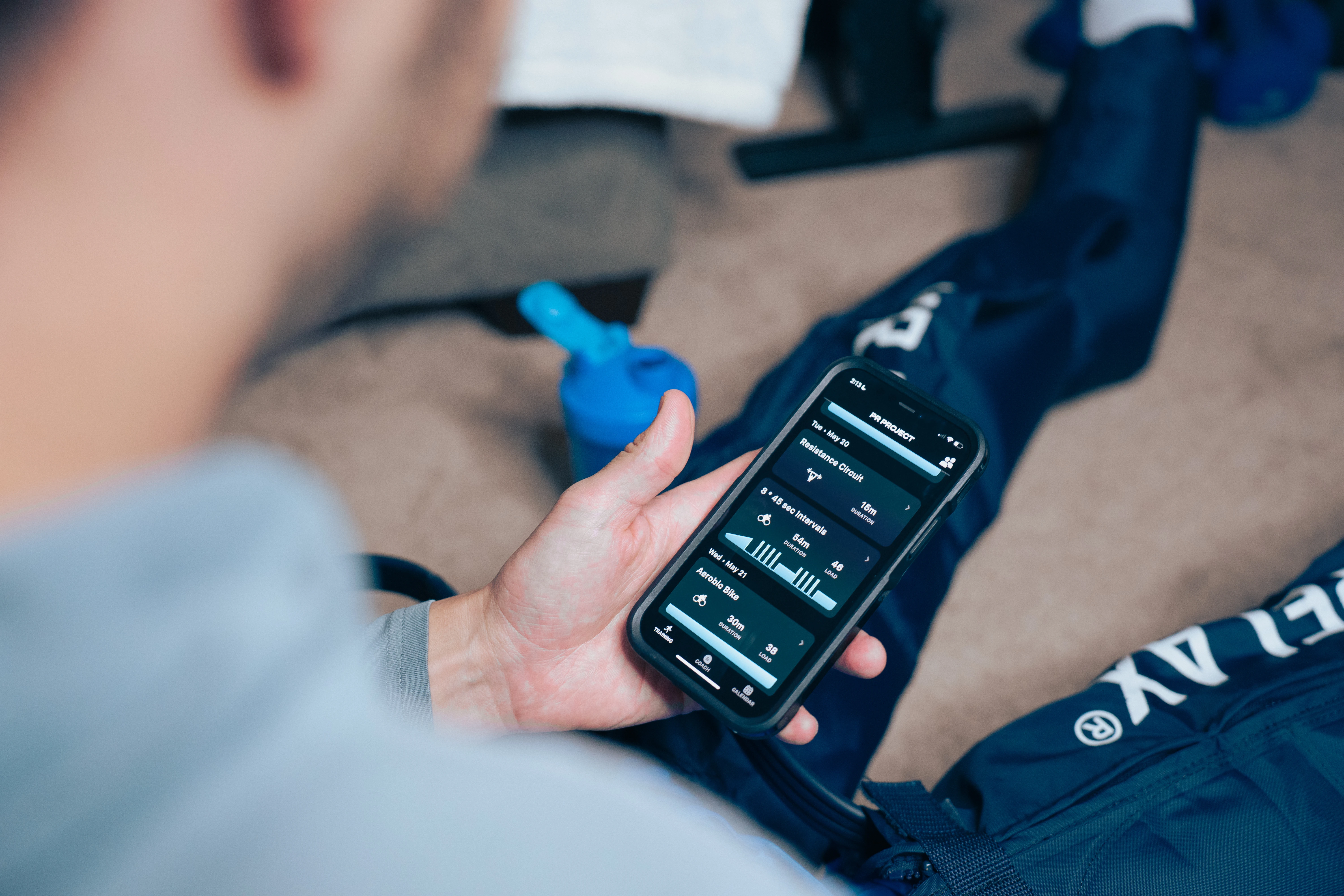
PR Project includes guardrails to avoid common coaching mistakes at scale.
Examples include:
- Preventing excessive hard-leg stacking
- Downgrading intensity when fatigue risk appears high
- Suppressing gym work too close to races
- Respecting available training time
- Preventing oversized sessions for inexperienced athletes
This matters because scale destroys quality in many coaching businesses.
PR Project was specifically designed to help preserve quality as athlete counts grow.

§ 10 · ClarificationsWhat Auto-Push is not, and what it actually is.
Let's clear up a few misconceptions.
It is not
- Random AI workout generation
- Generic copy-paste templates
- One size fits all automation
- A replacement for coaching philosophy
- Instant replan when a workout is missed or deleted
It actually is
- A structured planning engine
- Guided by coach-defined systems
- Context-, athlete-, race-, and fatigue-aware
- Scalable across large rosters
- Designed to preserve coaching quality
§ 11 · In practiceWhen does the calendar actually adjust?
Coaches often ask: “I know the system adapts, but when, exactly?” Here is the practical answer, without the engineering jargon.
Adjustments happen on a push, not in the background every time something on the calendar changes.
Think of Auto-Push as a planning pass. Something has to run that pass before the calendar updates. Today, that means either the daily automatic push (for athletes on automatic delivery) or you clicking Push Workouts in the coach console.
What runs on every push (with or without AI)
- Fills empty structure slots in the date range, never overwrites workouts already on the calendar
- Recalculates session load from the athlete's current fitness (CTL) and your load ratios
- Applies A/B/C race taper automatically when events are on the calendar
- Respects availability, equipment, and time constraints for each day
What triggers the AI adjustment layer
AI does not replan on every push. It activates when there is meaningful new context inside the push window. That usually means a calendar note (coach or athlete) or an availability change. Examples: travel, illness, reduced hours, pool-only days, “legs destroyed after the race.” If nothing like that is present, the push follows your configured structure deterministically, the same backbone you set up in phases and weekly patterns.
When AI does run, it can adjust weekly structure and load emphasis for roughly the next week of the window, and may leave you a coach-only calendar note explaining what changed. Athletes do not see that note.
What does not trigger an immediate replan
- Missing or skipping a workout: an incomplete session stays incomplete on the calendar. The system does not automatically rewrite the rest of the week because Tuesday was missed. The empty slot may get filled on the next push, but there is no real-time “missed workout → replan now” loop today.
- Deleting a workout: deletion removes that session immediately. It does not fire a push on its own. The slot stays open until the next scheduled or manual push, which can place a new workout there if the weekly structure still calls for one.
- Completing a workout: finished activity updates the athlete's fitness metrics (CTL), which changes load targets on the next push. That is progressive scaling, not an instant calendar rewrite.
How you prompt an adjustment from the coach side
Yes, you have several levers:
- Push Workouts manually: select athlete(s), choose a date range (up to 21 days), and run a push. This is the most direct control.
- Add a calendar note: drop a note on the athlete's calendar inside the push window (“traveling Mon–Wed,” “cut intensity this week”). On the next push, that note can activate the AI adjustment layer.
- Update availability: change available time, sport access, or equipment for specific dates. The next push respects those constraints and can trigger AI when combined with other context.
- Enable automatic daily push: for athletes on automatic delivery, the system runs a push once per day and keeps the next 1–14 days (your setting) filled ahead without you clicking every morning.
Post-activity questionnaire answers (how the session felt, recovery, pain) are designed to feed into load decisions when the fuller AI context path is enabled. Today's production push mode prioritizes notes and availability as the signals that turn AI on; questionnaire data matters most on the next push once that context is wired through.
One more distinction: weather guidance on a scheduled workout (heat, humidity) is a separate, on-demand adjustment when the athlete or coach opens that session, it does not replan the whole week.
| Event | Immediate replan? | What happens instead |
|---|---|---|
| Daily auto-push or manual Push Workouts | Yes (on push) | Fills gaps, recalculates load, optional AI if note/availability changed |
| Coach or athlete calendar note in window | On next push | Can activate AI structure/load adjustments |
| Availability change | On next push | Sport/time/equipment constraints applied; can activate AI |
| Athlete skips a workout | No | Session stays incomplete until coach acts |
| Workout deleted | No | Slot open until next push may refill per weekly structure |
| Workout completed | No | CTL updates; next push uses new fitness for load targets |
| Upcoming A/B/C race on calendar | On next push | Automatic taper scaling |
§ 12 · For coachesWhy this matters for coaches.
Most coaches hit a scaling wall.
At some point:
- Calendars become overwhelming
- Repetitive planning consumes time
- Athlete count increases
- Quality starts slipping
- Burnout begins
The problem usually isn't coaching knowledge.
It's operational bandwidth.
PR Project was built to help coaches scale the delivery of coaching without losing the intelligence behind it.
That's the real purpose of Auto-Push.
Overwhelming rosters · Repetitive planning · Quality slipping · Burnout
Operational bandwidth freed · Coaching intelligence preserved

§ 13 · Final summaryThe short version.
When you push workouts, PR Project:
- Starts from your configured phase and weekly structure
- Reads the athlete's live context
- Detects meaningful changes
- Optionally applies AI-assisted adjustments
- Calculates training load targets based on fitness
- Applies automatic race taper logic
- Selects the best-fit workout from your library
- Protects against fatigue and poor scheduling
- Fills only the appropriate gaps in the calendar
The result is a system that behaves less like a template engine… and more like a scalable assistant coach.
The future of endurance coaching is not “AI replacing coaches.” The future is coaches using intelligent systems to scale the parts of coaching that should scale while preserving the parts that require human judgment, experience, and philosophy.